Header(6)

Google Ads Update: Misleading Landing Pages to Be Demoted

Google Ads Update: Misleading Landing Pages to Be Demoted

Google has updated its search ads system by refining how landing pages are evaluated. The update leverages artificial intelligence (AI) to ensure users land on pages that match their expectations and provide a seamless experience.

What's New?

AI-Powered Landing Page Assessment

Google’s latest AI-driven model assesses whether a landing page aligns with the promise made in the ad. The goal is to improve navigation and prevent misleading content from disrupting the user experience.

According to Google, this enhancement allows its ad quality system to detect better whether a landing page delivers the expected content or misguides visitors.

See more: Improve Largest Contentful Paint: A Key to Faster Page Loads

Demotion of Misleading Landing Pages

If an ad directs users to a landing page that deviates from what was advertised—such as a page promoting an offer instead of a promised login or reset page—it will face ranking penalties.

Google highlights that users should not be frustrated by landing pages that fail to deliver on expectations or make navigation difficult.

See more: Local SEO vs. Organic SEO: A Comprehensive Guide to Boost Your Online Presence

Why This Matters

Google’s update enhances user trust and minimizes negative ad experiences. With these changes, ads leading to poor-quality or deceptive pages will see reduced visibility.

Maintaining a high-quality landing page is crucial for advertisers to sustain ad performance and visibility.

Action Steps for Advertisers

To align with Google’s new policy and maintain ad effectiveness, businesses should:

  • Review landing pages: Ensure the content accurately reflects the ad’s message.
  • Enhance usability: Simplify navigation by optimizing menus and CTAs for a smooth user journey.
  • Prioritize mobile experience: Ensure that landing pages are mobile-friendly and load quickly.

See more: SEO Trends 2025

Industry Trends Supporting the Update

Recent data highlights key trends influencing Google’s decision:

  • Digital advertising costs are increasing while conversion rates are declining.
  • Poor user experiences contribute to lower engagement and higher bounce rates.
  • Landing pages focused only on sales without clear navigation tend to underperform.

By improving the relevancy and usability of their landing pages, businesses can enhance engagement, reduce wasted ad spending, and boost conversions.

Looking Ahead

This update signals a shift towards a more user-focused advertising experience. A well-optimized landing page isn’t just an extension of your ad—it’s a critical factor in ad performance.

To stay competitive, businesses must prioritize landing page quality, ensuring every click leads to a seamless and valuable user experience.

Sarosh Khan

Content Writer/Content Strategist at CXS

Sarosh Khan has been part of CyberX Studio since 2024 as a Content Writer and Strategist. With a degree in Media & Communication Studies, Sarosh is passionate about creating content that is both informative and engaging. She specializes in researching topics and crafting content strategies that help boost engagement and support the studio’s marketing goals.

news article header(7)

Google AI Overviews Appear in 74% of Problem-Solving Queries

Google AI Overviews Appear in 74% of Problem-Solving Queries

A new report shows that AI Overviews (AIOs) in Google’s search results aren’t everywhere yet, but they’re already making a big difference in how visible websites are and how users interact with search results.

The study, done by Authoritas, looks at how AI Overviews change the way organic search works. In December, the team studied search data from 10,000 keywords across seven industries in the U.S.

The report explains how AI Overviews are becoming more important, showing trends, what users are looking for, and how often these AI-driven results pop up.

Key Findings

1. AI Overviews Appear in Less Than One-Third of Searches

AI Overviews appeared in 29.9% of the 10,000 keywords studied but made up only 11.5% of the total search volume.

High-volume keywords (those searched a lot) were less likely to have an AI Overview than mid-range keywords (searched 501 to 2,400 times a month). About 42% of mid-range keywords had an AI Overview.

Takeaway: AI Overviews aren’t everywhere yet, but they’re more common for mid-range searches. This means there’s a chance to stand out in less competitive areas.

Related: Google AI Overviews Claims Larger Pixel Area in SERPs

2. Industry and User Intent Play a Significant Role

The telecommunications industry had the most keywords with AI Overviews at 56%, while beauty and cosmetics had the fewest at 14%.

Searches aimed at solving problems or asking specific questions were most likely to trigger AI Overviews, with rates of 74% and 69%, respectively.

On the other hand, searches for specific websites (like “Facebook login”) rarely showed AI Overviews. This means AI Overviews focus more on general information than direct navigation.

Takeaway: If your content answers questions or solves problems, it will likely appear in AI Overviews. Brands in simpler industries should focus on topics where people need more research.

3. Non-Brand Terms Are More Likely to Generate AI Overviews

About 33.3% of non-brand searches (like “best smartphones”) showed an AI Overview, while only 19.6% of brand searches (like “Apple iPhone”) did.

Brand searches usually happen when people are closer to buying something, but AI Overviews for informational brand searches can still shape how people see a brand.

Takeaway: AI Overviews might slow down buyers, but they can help shape opinions early in decision-making.

4. Impact on Traditional Organic Results

When you click “Show more” on an AI Overview on a desktop, the page moves down by about 220 pixels. This pushes regular search results further down the screen.

On mobile, only one or two organic results are visible without scrolling, making it harder for websites to get noticed.

Takeaway: Since AI Overviews take up a lot of space at the top of search results, brands need to focus on appearing in both the AI Overview and the regular results below.

Related: SEO Trends 2025

5. Overlap with Traditional Rankings

Websites that rank high are more likely to appear in AI Overviews, but this isn’t always the case. About half of the top-ranking pages are included in AI Overviews, and sometimes pages outside the top ten can show up too.

Featured Snippets (those short answers at the top of search results) often appear with AI Overviews. If you have a Featured Snippet, there’s a 60% chance you’ll also be in the AI Overview.

Takeaway: A high rank or Featured Snippet doesn’t guarantee you’ll be in an AI Overview, but it helps. Focus on creating clear, trustworthy content to stay competitive.

6. Trust & YMYL (Your Money or Your Life) Topics

Websites known for being experts, especially in finance and healthcare, are often included in AI Overviews.

On the other hand, sites like Reddit and Quora, even though they rank well, are less likely to be mentioned in AI Overviews.

Takeaway: Websites with reliable, accurate, and trustworthy content are more likely to be featured in AI Overviews.

Related: Top 15 Digital Marketing Trends 2025: Key Insights for Marketing Leaders

Conclusion

AI Overviews are still new, but they’re already making a big impact, especially for searches that solve problems or provide information.

If your website is in an industry where people do a lot of research or where decisions are important, you might see more AI Overviews and face tougher competition.

Even if AI Overviews aren’t common in your area yet, that could change as Google improves its AI and learns more about what users want.

For SEOs and advertisers, here are two key strategies:

  1. Figure out which searches trigger AI Overviews and adjust your content or ads to match.
  2. Keep focusing on basics like optimizing for Featured Snippets and E-E-A-T (Experience, Expertise, Authoritativeness, Trustworthiness) to improve your chances of being featured.

The full study and whitepaper offer more details on how AI Overviews work and their impact.

Sarosh Khan

Content Writer/Content Strategist at CXS

Sarosh Khan has been part of CyberX Studio since 2024 as a Content Writer and Strategist. With a degree in Media & Communication Studies, Sarosh is passionate about creating content that is both informative and engaging. She specializes in researching topics and crafting content strategies that help boost engagement and support the studio’s marketing goals.

Header

Google’s Martin Splitt Warns Against Redirecting 404s To Homepage

Google’s Martin Splitt Warns Against Redirecting 404s To Homepage

In its “SEO Office Hours Shorts” video series, Google has released a new episode where Developer Advocate Martin Splitt addresses a common question among website owners: Should all 404 error pages be redirected to the homepage?

The Clear Answer: Don’t Do It

In the latest installment of this condensed Q&A format, Splitt responds to a user named Chris, who asks whether “redirecting all 404 pages to the homepage with 301 redirects can have a negative impact on rankings or overall website performance in search.”

Splitt’s response is unambiguous: “Yes, and also it annoys me as a user.”

See more: Google Explains 404 and Redirect Validation in Search Console

Why 404s Serve A Purpose

404 error pages signal to users and search engine crawlers that a URL is broken or no longer exists. This transparency prevents confusion and provides clarity instead of unexpectedly redirecting visitors to an unrelated page.

Splitt elaborates:

“A 404 is a very clear signal this link is wrong and broken or this URL no longer exists because maybe the product doesn’t exist or something has changed.”

Impact on Search Crawlers

According to Splitt, redirecting all 404 pages to the homepage disrupts search engine crawlers’ efficiency.

When a crawler encounters a legitimate 404, it recognizes that the content is gone and moves on. However, redirecting them to the homepage creates a confusing loop.

Splitt explains:

“For a crawler, they go like homepage and then click through or basically crawl through your website, finding content, and eventually they might run into a URL that doesn’t exist. But if you redirect, they’re kind of like being redirected, and then it all starts over again.”

See more: Understanding SEO Difficulty Across Industries

Best Practices for Handling Missing Content

Splitt offers clear guidance on proper redirect strategies:

  • If content has moved to a new location, use a redirect to that specific new URL.
  • If content is permanently removed, maintain the 404 status code.
  • Avoid redirecting to the homepage or what seems like the “closest” match.

Splitt emphasizes:

“If it moved somewhere else, use a redirect. If it’s gone, don’t redirect me to the homepage.”

This aligns with Google’s longstanding recommendation to use accurate HTTP status codes, ensuring that users and search engines correctly interpret your website structure.

New Format

The SEO Office Hours Shorts format is Google’s latest approach to answering SEO queries.

Previously, the series was a live show where users could ask questions. Over time, it transitioned to recorded sessions featuring responses to pre-approved questions. This new format condenses valuable insights into shorter, digestible clips, making SEO guidance more accessible to website owners.

Sarosh Khan

Content Writer/Content Strategist at CXS

Sarosh Khan has been a content writer and strategist at CyberX Studio since 2024. With a degree in Media and Communication Studies, she is passionate about creating informative and engaging content. She specializes in researching topics and crafting content strategies that boost engagement and support the studio’s marketing goals.

news article header(6)

Google Confirms Alt Text Is Not Primarily an SEO Decision

Google Confirms Alt Text Is Not Primarily an SEO Decision

Google’s John Mueller recently stressed that alt text is mainly for accessibility, not SEO. He shared Jeffrey Zeldman’s Bluesky post, guiding publishers and SEOs to the W3C Alt Text decision tree to highlight proper alt text use.

Understanding the W3C and Its Role

The World Wide Web Consortium (W3C) sets global web standards. Many of Google’s rules for HTML and server responses follow W3C standards. Using W3C guidelines helps ensure correct HTML use, including alt text, in ways that match Google’s indexing system.

Related: SEO Trends 2025

W3C Alt Text Decision Tree

A decision tree is a simple tool that asks yes/no questions to guide choices. The W3C Alt Text decision tree helps decide when and how to use alt text, focusing on accessibility.

The tree asks five key questions:

  • Does the image contain text?
  • Is the image in a link or button, and is it necessary to understand its function?
  • Does the image add meaning to the page?
  • Is the image purely decorative?
  • Is the image’s purpose unclear or not listed?

These steps help users make the right choices about alt text.

John Mueller’s Take on Alt Text

Mueller shared this on Bluesky:

“The choice of ALT text is not primarily an SEO decision. If you like working with structured processes, check out, bookmark, share, and use this decision tree of when & what to use as ALT text regarding accessibility.”

His statement clarifies that alt text should be about accessibility first, not SEO.

Additional Resources for Alt Text Best Practices

Zeldman praised the W3C decision tree, calling it “so straightforward, so good.” Another user shared an interactive version called the “Alt Text Decide-O-Matic,” a fun way to learn about best alt text practices.

Check out the official W3C Alt Text Decision Tree to improve alt text usage or try the Alt Text Decide-O-Matic to boost accessibility and align with Google’s best practices.

Related: Core Web Vitals: The Secret to Better SEO Rankings

Sarosh Khan

Content Writer/Content Strategist at CXS

Sarosh Khan has been a content writer and strategist at CyberX Studio since 2024. With a degree in Media and Communication Studies, she is passionate about creating informative and engaging content. She specializes in researching topics and crafting content strategies that boost engagement and support the studio’s marketing goals.

Header(4)

LinkedIn Reveals the Most In-Demand Marketing Skills of the Year

LinkedIn Reveals the Most In-Demand Marketing Skills of the Year

The marketing landscape is evolving rapidly, presenting opportunities and challenges for professionals. LinkedIn’s Marketing Jobs Outlook report highlights key trends shaping the industry and the skills marketers need to thrive.

Marketing Jobs Are on the Rise

The report reveals a strong rebound in marketing job opportunities, with LinkedIn reporting a 76% year-over-year increase in marketing-related job postings. Industries like technology and financial services, previously hit by layoffs, are now experiencing steady growth in hiring, signaling a positive shift in the job market.

Related: What is a Good Engagement Rate in GA4 for SEO? Let’s Break it Down!

High Job Satisfaction, But Retention Challenges Remain

While 67% of Chief Marketing Officers (CMOs) express complete satisfaction with their roles, retaining top talent remains a challenge. The report notes that 55% of marketers are open to leaving their current roles for better opportunities, making employee retention a key focus for organizations.

The Rapid Pace of Change Overwhelms Marketers

As technology transforms the industry, many marketers feel overwhelmed. According to the report:

  • 72% struggle with the rapid evolution of their roles.
  • 53% worry about falling behind due to technological advancements.

While these challenges spur innovation, they also highlight the need for adaptability and resilience in the marketing workforce.

The Skill of the Year: Collaborative Problem-Solving

Collaborative problem-solving has emerged as the most in-demand marketing skill, experiencing a 138% increase in demand. This skill emphasizes teamwork and customer-focused decision-making, positioning marketers as key players in navigating complex challenges and fostering innovation.

Top Hard Skills Shaping the Future of Marketing

Technical expertise is more critical than ever, with demand for specific hard skills skyrocketing:

  • Creative Execution: A remarkable 443% growth in demand over the past two years.
  • Artificial Intelligence (AI): Skills in AI have grown by 392% as marketers integrate new technologies.
  • Marketing Technology: Proficiency in platforms and tools increased by 351%, reflecting the need for tech-savvy professionals

Related: Can AI Content Rank on Google? Everything You Need to Know

How Marketers Can Stay Ahead

To remain competitive, LinkedIn advises marketers to focus on three key strategies:

  1. Upskilling: Embrace learning opportunities in areas like AI. Courses like Generative AI for Digital Marketers top LinkedIn Learning’s recommendations.
  2. Agility: Adopt a growth mindset to adapt to shifting consumer behaviors and technological advancements.
  3. Collaboration: Break down silos to foster cross-functional teamwork and creative problem-solving.

Conclusion: A Transformative Year for Marketing

LinkedIn’s Marketing Jobs Outlook report underscores a year of growth, innovation, and adaptation for the marketing industry. While challenges like workplace stress and rapid technological advancements persist, career growth and skill development opportunities are immense.

Marketers who embrace change, prioritize upskilling, and foster collaboration are well-positioned to thrive in this dynamic landscape.

Sarosh Khan

Content Writer/Content Strategist at CXS

Sarosh Khan has been a content writer and strategist at CyberX Studio since 2024. With a degree in Media and Communication Studies, she is passionate about creating informative and engaging content. She specializes in researching topics and crafting content strategies that boost engagement and support the studio’s marketing goals.

header(4)

Google Updates Search Quality Rater Guidelines: What You Need to Know

Google Updates Search Quality Rater Guidelines: What You Need to Know

Since March, Google has released its first major update to the Search Quality Rater Guidelines, introducing significant changes that reflect its evolving standards for assessing content quality.

Human evaluators use these guidelines to review search results, offering insights into Google’s approach to identifying high-quality content. While they don’t directly impact rankings, they guide creators on what Google values most.

This update focuses on AI-generated content, emerging spam tactics, and technical requirements. Below are the key highlights.

Key Highlights From the January Update

1. Added Generative AI Definition

Section 2.1, “Important Definitions,” now formally addresses AI-generated content, guiding evaluators in assessing materials produced using machine learning.

Google defines generative AI as:

“Generative AI is a machine learning (ML) model that can take what it has learned from the examples it has been provided to create new content, such as text, images, music, and code.”

This addition emphasizes the need for AI-generated content to provide unique value to users.

Related: Content Decay is a Silent ROI Killer – Learn How and Fix It

2. Updates on Low-Quality Content

Sections 4.0 through 4.6 have been revised to address new spam and low-quality content forms. Three major issues are identified:

  • Expired Domain Abuse: Purchasing expired domains to host content that provides little or no value to users.
  • Site Reputation Abuse: Publishing third-party content on reputable websites to leverage their ranking signals.
  • Scaled Content Abuse: Generating numerous low-value pages using automated tools, including generative AI, primarily for personal gain rather than user benefit.

Google explicitly cautions against generative AI to create scaled content lacking originality or usefulness.

3. Identifying AI-Generated Content

Section 4.7 offers examples of AI-generated content rated as low quality, such as text containing disclaimers like:

“As a language model, I don’t have real-time data, and my knowledge cutoff date is September 2021.”

Other signs include incomplete or generic content that fails to provide value to users.

Related: Strong SEO Content Strategy: Pillar Pages and Topic Clusters

4. New Technical Requirements

To ensure accurate evaluations, the guidelines now require raters to turn off ad blockers during their tasks:

“Some browsers such as Chrome automatically block some ads. As a rater, you are required to turn off any ad blocker capabilities of the browser you use to view webpages for rating tasks. Check your browser settings before rating tasks to ensure your ratings accurately reflect how people experience the page without ad-blocking settings and extensions.”

Key Takeaways for Content Creators and SEO Professionals

This update provides actionable insights for content strategies:

  • AI Content Strategy: Generative AI tools can aid content creation, but the priority must be delivering unique, user-focused value. Avoid mass-producing low-quality, AI-generated pages.
  • Focus on Quality: With expanded guidelines on spam and low-quality content, Google emphasizes rewarding high-value, original material.
  • Technical Considerations: Ensure your website is optimized for user experience, including content visibility with and without ad blockers.
  • Show Expertise: Content on YMYL (Your Money or Your Life) topics must demonstrate genuine expertise and authenticity.

Next Steps

To align your content with Google’s updated standards, follow these tips:

  • Create original, valuable content tailored to user needs.
  • Use AI tools carefully, ensuring they enhance rather than diminish content quality.
  • Regularly check how your content appears to users, including those without ad blockers.
  • Stay informed about updates to Google’s guidelines to keep your strategy effective and compliant.

Related:  Can AI Content Rank on Google? Everything You Need to Know

By focusing on originality, quality, and user experience, content creators can meet Google’s expectations and improve their online presence.

Sarosh Khan

Content Writer/Content Strategist at CXS

Sarosh Khan has been a content writer and strategist at CyberX Studio since 2024. With a degree in Media and Communication Studies, she is passionate about creating informative and engaging content. She specializes in researching topics and crafting content strategies that boost engagement and support the studio’s marketing goals.

news article header(4)

Google Reveals Fixes for LCP Core Web Vitals Issues

Google Reveals Fixes for LCP Core Web Vitals Issues

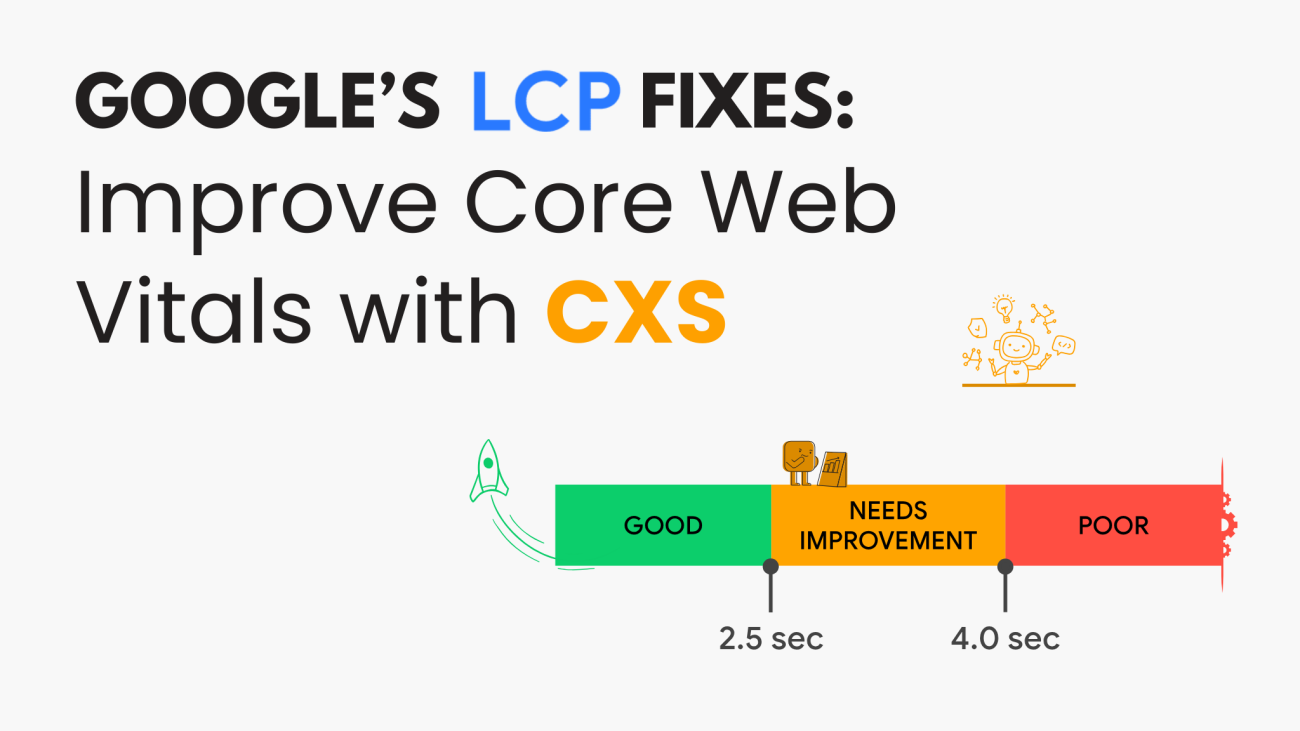
Barry Pollard, a Web Performance Developer Advocate at Google Chrome, has shared insights on fixing one of the key Core Web Vitals metrics: Largest Contentful Paint (LCP). His tips guide web developers and SEO specialists in identifying and resolving the causes of poor LCP scores.

What is the Largest Contentful Paint (LCP)?

LCP measures how long it takes for the most significant visible content on a web page to load in the user’s browser. This content can be an image, text block, or heading occupying the screen’s most horizontal space.

The elements that usually contribute to LCP are large text blocks, images, and headings like <p>, <h1>, and <img> tags.

Related: Core Web Vitals: The Secret to Better SEO Rankings

Five Steps to Improve LCP Scores

Barry Pollard outlined a structured approach to diagnosing and improving LCP issues:

1. Understand the Data in PageSpeed Insights (PSI)

Pollard stressed that web developers often make the mistake of debugging LCP issues using Lighthouse or Chrome DevTools instead of sticking to PageSpeed Insights (PSI).

PSI provides two types of data:

  • URL-Level Data: Specific to a page being analyzed.
  • Origin-Level Data: Aggregated data from the entire website.

Developers should focus on URL-level data if available, since it gives more accurate insights.

2. Review the Time to First Byte (TTFB)

Time to First Byte (TTFB) is a critical metric that shows how long it takes for the server to respond to the first byte of data. Pollard explains that a slow TTFB can be due to two main issues:

  1. The request takes too long to reach the server.
  2. The server is slow to respond.

To fix this, developers must determine if the problem lies in server performance or network delays.

Related: SEO Trends 2025

3. Compare TTFB Using Lighthouse Lab Tests

Pollard recommends running the Lighthouse Lab Test to check for consistency in the slow TTFB. If the problem persists across tests, it’s a genuine issue, not a one-off result.

Lighthouse tests are synthetic, meaning they simulate visits using an algorithm. This makes them helpful in reproducing issues and pinpointing the exact causes.

4. Check if a CDN is Hiding the Real Problem

Content Delivery Networks (CDNs) like Cloudflare can improve website speed by storing cached versions of web pages in multiple locations. However, Pollard warns that CDNs may also hide underlying server issues.

Here are two ways to bypass a CDN to test server performance:

  • Add a random parameter to the URL (e.g., ?test=1) to force the server to fetch a fresh copy.
  • Test a rarely visited page to avoid cached versions.

Pollard also suggested using tools to check server response times in different countries. If certain regions show slow speeds, developers should investigate the server’s performance in those areas.

Related: From Local to Global: The Power of International SEO

5. Fix Only What's Repeatable

Pollard emphasizes that developers should focus on fixing issues that can be consistently reproduced. If a problem only appears once, it may not be worth addressing.

Here are some potential causes of slow LCP that Pollard highlighted:

  • Underpowered servers
  • Complex or inefficient code
  • Database performance issues
  • Slow connections from specific regions
  • Redirects caused by ad campaigns

For redirects, Pollard advises:

  • Use the final URL to avoid unnecessary redirects (e.g., from HTTP to HTTPS).
  • Minimize URL shorteners; each redirect adds about 0.5 seconds to the page load time.

Key Takeaways for Web Developers

Pollard’s tips provide actionable insights for improving LCP scores:

  1. Stick to PageSpeed Insights (PSI) to get the most accurate data.
  2. Check Time to First Byte (TTFB) to identify server-related issues.
  3. Use Lighthouse Lab Tests to confirm repeatable problems.
  4. Bypass CDNs to find the true cause of slow LCP.
  5. Address repeatable issues to ensure long-term fixes.

Sarosh Khan

Content Writer/Content Strategist at CXS

Sarosh Khan has been a content writer and strategist at CyberX Studio since 2024. With a degree in Media and Communication Studies, she is passionate about creating informative and engaging content. She specializes in researching topics and crafting content strategies that boost engagement and support the studio’s marketing goals.

Header(2)

Google Search Console Adds Hourly Export Feature

Google Search Console Includes Hourly Data Export to 24-Hour View

Google has introduced a highly requested feature in the Search Console by enabling hourly data exports for the 24-hour performance view. This new functionality enhances website performance monitoring with greater precision and real-time insights.

Key Details of the Update

The 24-hour view feature was first launched in December. It offers near real-time data on website performance across Google Search, Discover, and News. With the new hourly export option, users can download performance data by the hour.

This update simplifies analyzing site metrics like clicks, impressions, average position, and CTR by reducing delays.

Related: Google Search Console Update: Analytics Data Removed 

Benefits of Hourly Data Export

  • Faster Response Times: Detect performance changes and respond swiftly.
  • Detailed Analysis: Export hourly data to tools like Excel or Google Sheets for deeper analysis.
  • Local Time Insights: Filter performance data by query, page, or country within the local time zone.

How to Access the Feature

To access the new hourly export feature:

  1. Go to Performance Reports in the Search Console.
  2. Select the 24-hour view tab.
  3. Click the Export button to download the data.

This update addresses a major request from users and offers more granular insights for SEO professionals and website owners.

Related: Google Explains 404 and Redirect Validation in Search Console

Why It Matters

The ability to export hourly data empowers users to:

  • Monitor the early performance of newly published content.
  • Track the immediate impact of updates to existing pages.
  • Make timely adjustments to optimize search performance.

This enhancement ensures businesses can adapt their strategies and stay competitive in the evolving digital landscape by providing more accessible and timely metrics.

Sarosh Khan

Content Writer/Content Strategist at CXS

Sarosh Khan has been a content writer and strategist at CyberX Studio since 2024. With a degree in Media and Communication Studies, she is passionate about creating informative and engaging content. She specializes in researching topics and crafting content strategies that boost engagement and support the studio’s marketing goals.

CXS PK News Article 15 (02)

Google Moves Web Vitals Monitoring to DevTools

Google Moves Web Vitals Monitoring to DevTools

Google has stopped its Web Vitals Chrome extension with the launch of Chrome 132. Now, all the features from the extension are part of Chrome DevTools’ Performance panel.

This change allows developers to track Core Web Vitals directly in DevTools. It helps make the process simpler and more efficient.

Why Did Google End the Web Vitals Extension?

The Web Vitals extension launched in 2020. It helped developers track important website performance metrics like:

  • Largest Contentful Paint (LCP)
  • Interaction to Next Paint (INP)
  • Cumulative Layout Shift (CLS)

These metrics measure how fast a website loads, how users interact, and how stable the design is.

Although many developers used the extension, Google now focuses on DevTools because it offers more features in one place.

Related: Core Web Vitals: The Secret to Better SEO Rankings

What’s New in DevTools?

Chrome’s Performance panel in DevTools has all the features of the extension and more. Key updates include:

  • Live Metrics: Get real-time Core Web Vitals data during tests.
  • Field Data Comparison: Compare your data with the Chrome User Experience Report (CrUX) for mobile and desktop.
  • LCP Details: See which element affects your LCP and get a breakdown of loading phases.
  • INP Logs: Track user interactions that affect the INP score.
  • CLS Logs: View layout shifts that impact your CLS score.
  • Advanced Metrics: Get more data like First Contentful Paint (FCP) and Time to First Byte (TTFB).

These updates give developers detailed insights to fix performance issues quickly.

Related: Improve Largest Contentful Paint: A Key to Faster Page Loads

What Should Developers Do Now?

If you are still using the Web Vitals extension, switch to DevTools.

Google has made a migration guide to help with this transition. For those who still want to use the extension, Google has shared instructions to keep a local copy. However, the CrUX API key linked to the extension will stop working soon. You will need to generate a new API key using the CrUX documentation.

Looking Ahead

Google is improving DevTools to be the best tool for web performance monitoring.

With all Core Web Vitals metrics now available in DevTools, developers can track performance issues without needing extra tools. It also makes performance optimization faster and easier.

Sarosh Khan

Content Writer/Content Strategist at CXS

Sarosh Khan has been part of CyberX Studio since 2024 as a Content Writer and Strategist. With a degree in Media & Communication Studies, Sarosh is passionate about creating content that is both informative and engaging. She specializes in researching topics and crafting content strategies that help boost engagement and support the studio’s marketing goals.

CXS PK News Article 14 (02) (1)

Google Adds Data Collection Period to PageSpeed Insights (PSI)

Google Adds Data Collection Period to PageSpeed Insights (PSI)

Google has updated PageSpeed Insights (PSI) to display the data collection period for Chrome User Experience Report (CrUX) metrics. This update addresses a long-standing frustration among developers who rely on this tool for website performance insights. Barry Pollard, Web Performance Developer Advocate at Google Chrome, announced the change in a post on X.

What Changed in PSI?

With the update, PSI directly displays the exact date range for CrUX metrics in its interface.

CrUX data in PSI is based on the 75th percentile of real user visits over a rolling 28-day period, with a two-day delay.

For instance, a test run on January 5 would show data collected from December 7 to January 3.

Previously, developers had to dig into Chrome DevTools to find this information. Now, it’s available directly in PSI, making it easier to interpret and track performance metrics.

See more: What is a Good Engagement Rate in GA4 for SEO? Let’s Break it Down!

Why It Matters

CrUX data is essential for measuring real-world user experiences and is even used as a ranking factor in Google search results.

The update benefits developers by:

  • Providing clarity on the time frame for performance metrics.
  • Helping them track changes and improvements after website optimizations.
  • Simplifying performance analysis by making key information readily accessible.

CrUX Data Across Google Tools

The update in PageSpeed Insights is part of Google’s efforts to enhance the usability of CrUX data. However, CrUX data is available across multiple Google tools, each with a slightly different approach:

  • PageSpeed Insights (PSI): Reports URL-specific or site-level data for a rolling 28-day period, with a two-day delay.
  • Google Search Console: Groups pages into page groups rather than reporting on individual URLs, which can sometimes cause confusion.
  • BigQuery: Provides monthly CrUX data dumps, offering extra details like histograms and geographic breakdowns. The data is updated 10 days after the end of each month.

See more: Why Your Business Needs a Website Redesign: Key Signs It’s Time for an Upgrade

Looking Ahead

This small but impactful change to PageSpeed Insights makes CrUX data more transparent to interpret.

By providing a clearer picture of performance metrics, developers can better optimize their websites for user experience and search rankings.

Sarosh Khan

Content Writer/Content Strategist at CXS

Sarosh Khan has been part of CyberX Studio since 2024 as a Content Writer and Strategist. With a degree in Media & Communication Studies, Sarosh is passionate about creating content that is both informative and engaging. She specializes in researching topics and crafting content strategies that help boost engagement and support the studio’s marketing goals.